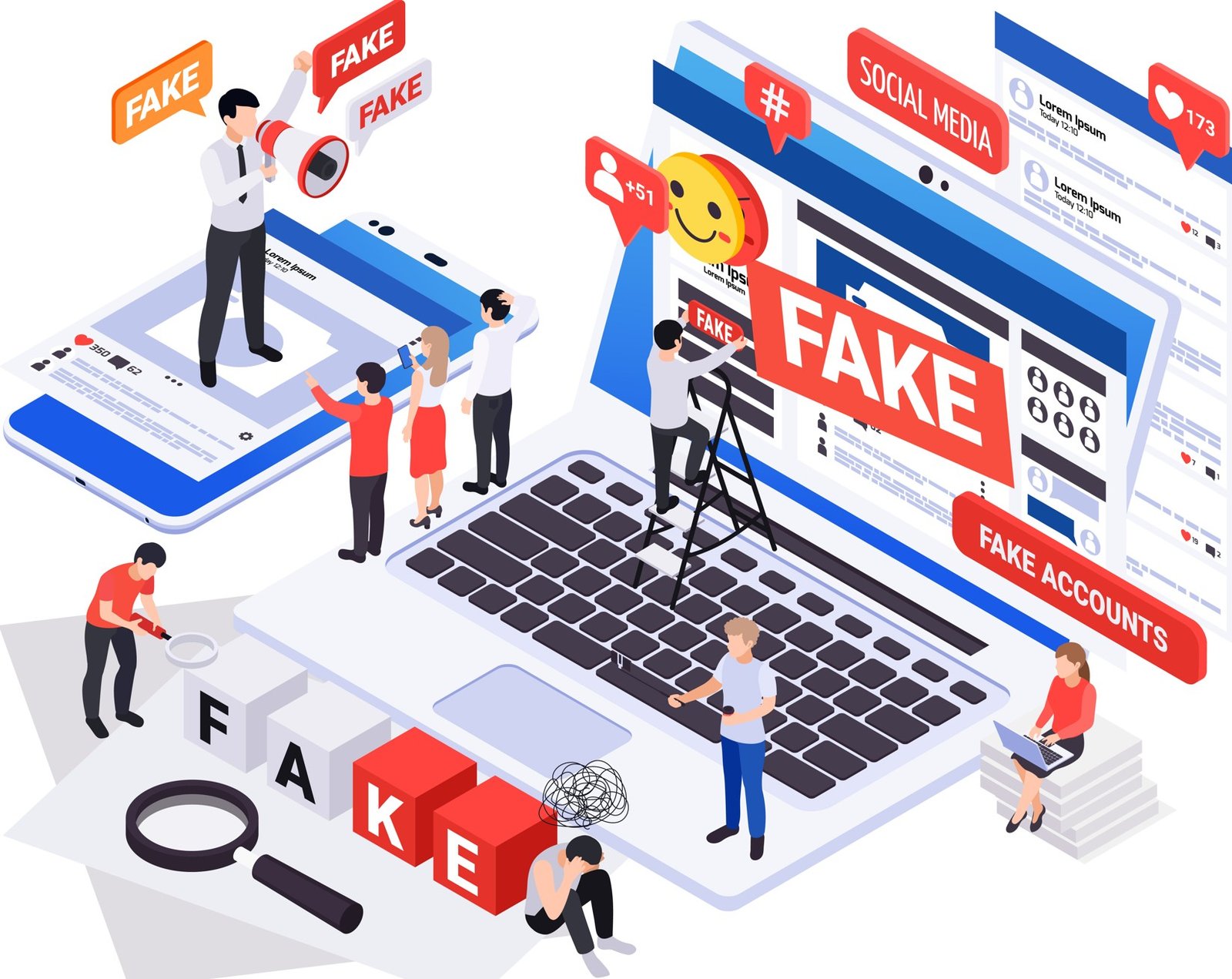
Today, a scammer can clone a real brand’s homepage, generate flawless product copy, and launch a checkout page before lunch, all with free AI tools. So, you have to know that cybercriminals no longer need weeks to build a convincing storefront. That shift is exactly why so many careful, tech-savvy people are still getting caught out.
Don’t get me wrong, this isn’t a scare piece, but a practical field guide for anyone who shops, banks, or logs in online, especially readers in the US, UK, Canada, Australia, and other countries markets who are increasingly targeted because of higher purchasing power. By the end of this guide, you will know exactly what to look for, which free tools to run a suspicious link through, and what to do if you have already clicked something you shouldn’t have.
Related reading: if you want to lock down your accounts before we go any further, our guide on how to enable two-factor authentication on all your accounts is a good companion to this one.
Why Fake Websites Are More Dangerous Than Ever in 2026
The old advice by cybersecurity experts, “look for typos and bad grammar” barely applies anymore. Because generative AI has erased most of the obvious tells that used to give scam websites away, and cybercriminals now treat fraud as a subscription service rather than a one-off hustle…becoming more professional and perfect in their fraud acts.
According to the FBI’s Internet Crime Complaint Center, reported cybercrime losses in the US jumped from $16.6 billion to $20.9 billion in a single year, with AI-related fraud named as a distinct and fast-growing category for the first time in the bureau’s 26-year history. Security researchers at Trend Micro have even found that a complete scam kit combining a fake website, cloned voice, and deepfake video can now be assembled for as little as $60 a month, putting professional-grade fraud within reach of almost anyone.
What makes 2026’s fake websites uniquely dangerous is speed and disposability. Yeah, crcriminals spin up a phishing page, run a short ad campaign or SMS blast, harvest whatever personal information and payment details they can, and tear the site down before it’s reported, often within hours. Traditional blacklists and browser warnings simply can’t keep pace with that turnover, which means the burden of spotting an online scam increasingly falls on the person doing the browsing.
The good news is that while the disguises have gotten better, the underlying playbook hasn’t changed much, because once you know the patterns, fake websites are still very identifiable.
How Fake Websites Trick People Into Giving Away Personal Information
There’s one important thing you have to understand, every fake website exists to do one of these two things: harvest your credentials or take your money. So, understanding the common formats makes it far easier to recognize an online scam the moment you land on one.
- Fake login pages: This mimics your bank, email provider, or a service like Netflix or PayPal real sites, usually reached through a phishing email or text urging you to “verify your account.” Enter your details, and they go straight to the scammer.
- Fake online stores: This advertises designer goods, electronics, or seasonal deals at deep discounts, often through social media ads. You either receive counterfeit goods, nothing at all, or your credit card fraud nightmare begins the moment you check out.
- Banking scams: This replicate your bank’s online banking scam portal pixel-for-pixel, tricking you into entering account numbers, PINs, or one-time passcodes.
- Cryptocurrency scams: This promises guaranteed returns on fake exchange platforms, often paired with a “support agent” who walks victims through the process of moving funds.
- Investment scams: This uses professional-looking dashboards showing fake growth charts to convince people to keep depositing money.
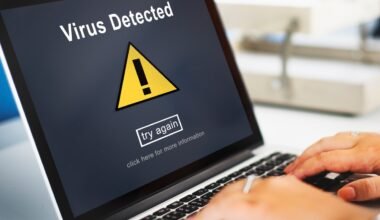
- Tech support scams: This displays alarming pop-ups claiming your device is infected, pushing you toward a fake support number or remote-access download.
- Delivery scams: This spoof FedEx, UPS, or postal service tracking pages, asking for a small “customs fee” that’s really identity theft in disguise.
- AI-generated scam websites: This websites now write their own product descriptions, reviews and even customer service chat responses, making identity theft and phishing website detection considerably harder for the average shopper.
15 Warning Signs That a Website May Be Fake
This is the checklist worth bookmarking. As Norton’s fraud research team notes, not every fake website will show all of these signs, but spotting two or three together is a strong signal to close the tab or cross-check before going further in the site.
Here are the warning signs to checkout in unfamiliar websites t0 avoid falling a victim to scam;
- No HTTPS or a broken padlock icon – though be aware scammers now use HTTPS too, so this alone isn’t proof of safety.
- Misspelled or altered domain names, like “arnazon.com” instead of “amazon.com”. You can see both are similar if not thoroughly checked.
- Poor grammar or oddly generic wording, even when AI-polished text looks clean at a glance.
- Unrealistic discounts, such as 70 – 80% off premium brands cost or price.
- Fake customer reviews that are either suspiciously glowing or oddly repetitive.
- Suspicious pop-ups demanding immediate action or personal details to be entered.
- No contact information or only a generic contact form.
- A recently registered domain, often just days or weeks old.
- Requests for unusual payment methods like gift cards, wire transfers, or crypto.
- Fake trust badges that don’t link anywhere or redirect oddly when clicked.
- Broken pages or dead links scattered throughout the site.
- Generic or low-resolution product images lifted from other stores.
- Copied content you can find word-for-word on another website.
- Pressure tactics like countdown timers, “only 2 left in stock” or “offer expires in 10 minutes”.
- Unusual redirects that bounce you to unrelated or suspicious pages after a click.
Comparison Table on Warning Signs of Fake Websites
Below is a comparison table to better understand the warning signs, what they means and how to cross-check them properly.
| Warning Sign | What It Usually Means | Quick Check |
|---|---|---|
| Misspelled domain | Typosquatting to mimic a trusted brand | Read the URL letter by letter |
| Deep discounts | Bait to rush a purchase decision | Compare price across 2 – 3 other retailers |
| No contact info | Scammer avoids accountability | Search for a physical address instead |
| New domain age | Site built to disappear quickly | Run a WHOIS lookup on the website |
| Pressure countdowns | Designed to stop you from thinking properly | Close the tab and revisit later |
How to Check If a Website Is Legitimate Before You Shop or Sign In
Before you enter a card number or password anywhere unfamiliar, run through this quick verification routine.
- Verify the URL: Check character by character, paying close attention to the domain extension. A store claiming to be “Nike” on a “.shop” or “.top” domain deserves suspicion.
- Check domain age: A website checker like “WHOIS Lookup” instantly shows when a domain was registered and most fake online stores are only days or weeks old.
- Review the SSL certificate: Do this by clicking the padlock icon on top-left side of your URL. Look for an Organization Validation certificate showing the registered company name, which is much harder for scammers to fake convincingly.
- Search company information independently: A quick search of the business name alongside “scam,” “reviews,” or “complaints” online often surfaces warnings from previous victims.
- Read independent reviews: Read reviews on trusted website reviewer like Trustpilot or Google rather than testimonials on the site itself.
- Verify social media presence: Legitimate businesses maintain active, aged profiles with real engagement, not accounts created last week with a handful of followers.
Trusted free website reputation tools worth bookmarking include Google Safe Browsing, VirusTotal and WHOIS Lookup, all of which take seconds to check a link before you commit any personal or payment information.
Common Types of Online Scams You Should Know in 2026
Fake websites rarely operate alone. Yeah, they’re usually one piece of a broader scam. So, here are online scams actively circulating this year:
- Phishing emails remain the most common entry point, and security researchers now estimate that the vast majority of phishing emails contain some degree of AI-generated content, making them read far more naturally than the clumsy scams of few years ago.
- Smishing delivers the same phishing scam via text message, often disguised as a delivery notice or bank alert or from familiar personality.
- QR code scams (or quishing) have exploded as scammers place fake stickers over legitimate codes on parking meters, restaurant menus and even mailed packages. According to AOL.com , the FTC has specifically warned that scanning one of these codes can lead to a phishing site built to steal personal information or quietly install malware on your phone.
- Fake job websites collect resumes, Social Security numbers, or upfront “training fees” for positions that don’t exist.
- Fake cryptocurrency exchanges lure victims with fabricated trading dashboards and unreachable “customer support” after collecting their crypto.
- Romance scams increasingly use AI-generated profile photos and, in more advanced cases, use live deepfake video calls to build trust before requesting money from victims.
- Marketplace scams on platforms like Facebook Marketplace involve sellers who disappear after receiving payment, or buyers who send fake payment confirmations.
- AI voice scams clone a family member’s voice from just a few seconds of audio, often pulled from social media, to fake an emergency and demand urgent payment. According to StationX, McAfee’s research found that just three seconds of clear audio is enough to produce a convincing clone.
- Deepfake scams now extend to video calls; in one widely reported case, an employee at engineering firm Arup authorized a multi-million-dollar transfer after joining a video call where every other participant, including the company’s CFO, was a synthetic deepfake.
What to Do If You Visited a Fake Website or Entered Your Information
If you suspect you have landed on a phishing website or already entered sensitive details, move quickly and methodically through the following measures.

- Disconnect from the internet – if you suspect malware was downloaded, to limit any ongoing data transmission.
- Change your passwords immediately – starting with your email, since it’s the recovery point for most other accounts.
- Enable multi-factor authentication – wherever it isn’t already active because it blocks the vast majority of automated account takeover attempts even after a password is compromised.
- Contact your bank or card issuer – right away to flag the fraudulent activity and discuss a chargeback if you have entered your bank or card details.
- Freeze your card – freeze or request a replacement if you entered payment details.
- Monitor your accounts closely – do this for unfamiliar logins, password reset requests or unauthorized transactions over the following weeks.
- Run a full antivirus scan – do this on the device you used, in case malware was silently installed.
- Report the scam – report it to the FTC at ReportFraud.ftc.gov, the FBI’s IC3 at ic3.gov, and your bank’s fraud department because this helps get the site taken down faster for everyone else.
If malware may already be involved, our detailed walkthrough on how to remove malware from a laptop covers the full cleanup process step by step.
Best Free Tools to Detect Fake Websites and Online Scams
Be informed that you don’t need a paid subscription to check a suspicious link. These free tools below cover most everyday situations:
- Google Safe Browsing Transparency Status scans billions of URLs daily and flags sites known to host malware or phishing content, the same database that powers warnings inside Chrome.
- VirusTotal runs a submitted URL against dozens of security engines simultaneously, giving you a consolidated verdict in seconds.
- URLVoid checks a domain against multiple blacklist and reputation databases at once, useful when you want a second opinion beyond a single scanner.
- ScamAdviser assigns a trust score based on domain age, hosting location, and other technical signals, which is particularly handy for unfamiliar online stores.
- WHOIS Lookup reveals exactly when a domain was registered, a huge red flag if a “long-established” retailer’s website is only a few weeks old registered.
- Have I Been Pwned won’t check a website directly, but it tells you whether your email address has already surfaced in a known data breach, which is worth knowing after any suspicious encounter.
Best Practices to Stay Safe Online in 2026
It is important to note that long-term habits matter more than any single check. So, build these habits into your routine:
- Use a password manager to generate and store unique passwords for every account, removing the risk of one breach compromising everything else. Our breakdown of the best password managers for secure logins in 2026 compares the top options.
- Enable multi-factor authentication on email, banking, and social media accounts as a non-negotiable baseline.
- Keep software updated, since most successful attacks exploit vulnerabilities that were already patched months earlier.
- Avoid public Wi-Fi for sensitive tasks like banking or shopping unless you’re using a VPN – our guide on public Wi-Fi risks explains why open networks are such an easy target.
- Verify links before clicking, hovering over them on desktop or long-pressing on mobile to preview the real destination.
- Use secure payment methods like credit cards or trusted platforms with buyer protection, rather than wire transfers or gift cards.
- Shop only from trusted websites, cross-checking unfamiliar stores against the verification steps above.
- Watch for social engineering, especially urgency, fear, or too-good-to-be-true offers designed to override careful thinking.
Frequently Asked Questions About Fake Websites
Can a website with HTTPS still be fake? Yes. HTTPS only confirms the connection is encrypted, not that the business behind it is legitimate. Scammers routinely secure their phishing website with a free SSL certificate.
How do scammers create fake websites? Most use website builders, cloned templates, or AI tools that copy a real brand’s design and generate product listings, reviews and even chat responses within minutes.
Is it safe to buy from a new online store? Not automatically. Run a domain age check and search for independent reviews before entering any payment details on an unfamiliar site.
What should I do if I entered my credit card details? Contact your card issuer immediately to flag the transaction, request a new card number, and monitor statements closely for unauthorized charges.
Can antivirus software detect fake websites? Many modern antivirus suites include web protection that blocks known scam domains, though brand-new fake websites can sometimes slip through before they’re indexed.
How can I check whether a website is legitimate? Combine a domain age check, an SSL certificate review, an independent review search, and a scan through a free website checker like Google Safe Browsing or VirusTotal.
Conclusion: Stay One Step Ahead of Online Scammers
Fake websites in 2026 are more convincing than ever, but the fundamentals of protecting yourself haven’t changed, which includes; slow down, verify before you trust and use the free tools available to double-check anything that feels slightly off. Yeah, a few extra seconds spent checking a domain or reading independent reviews can save you months of untangling identity theft or fraud.
As already discussed, make these habits automatic rather than reactive; set up a password manager, turn on multi-factor authentication everywhere it’s offered, and bookmark a couple of website checkers so verifying a suspicious link becomes second nature rather than an afterthought.
Explore more guides on CyberPrivacyLab to keep building your defenses, including our deep dives on phishing scams and real-world examples and other practical cybersecurity walkthroughs designed for everyday internet users, not just IT professionals.
Ozichukwu Callistus is a cybersecurity professional, researcher, and digital security advocate with hands-on experience in defensive security operations and ethical hacking. He holds the ISC2 Certified in Cybersecurity (CC), Cisco CyberOps Associate certifications, many others and works regularly with tools like Kali Linux, Wireshark, Nmap, and Security Onion. Through CyberPrivacyLab, he shares practical, research-backed guides to help readers understand threats and protect their digital lives.